DigiLab started as a Shiny app for tracking DFW locals. Six weeks later, it’s a full platform. DigiLab 2.0 is live at digilab.cards. Here’s what changed and what it means for you.
What’s New
Everything you used to do inside the app now has a dedicated page on the website. Faster, shareable, and built for the way people actually use DigiLab. Paste a link in Discord and it shows a real preview instead of a generic embed.


Homepage
The homepage is now a launchpad into the platform. Search for any tamer, store, scene, or deck from one search bar. Set your scene and the whole site adjusts to show your local data first.
Player Profiles
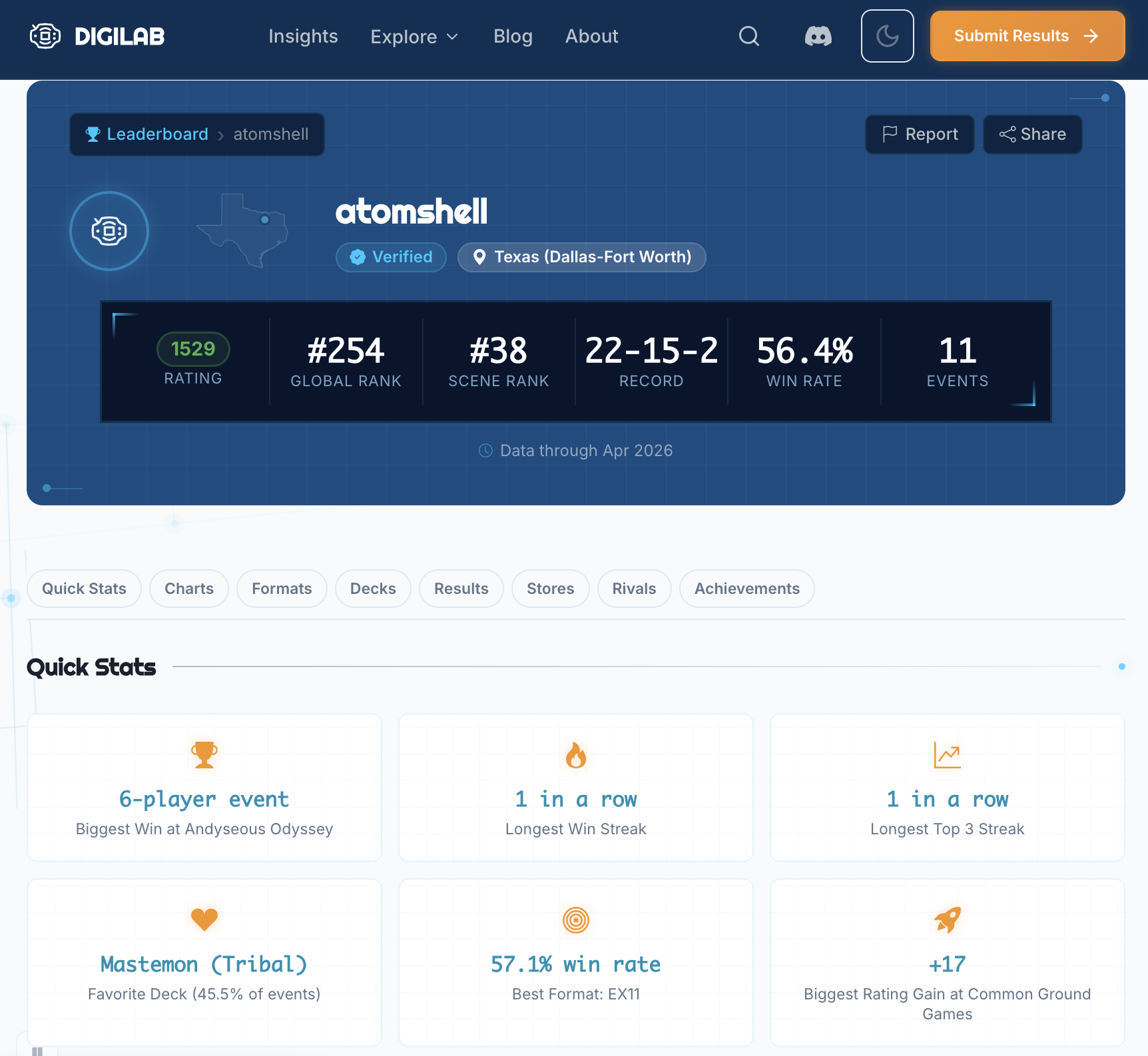
Every player has a page. Your rating history, tournament results, deck arsenal, head-to-head records, badges, and a mini-map of where you’ve competed. Share your profile link and it shows your rating and top deck right in the Discord embed.
Store Pages
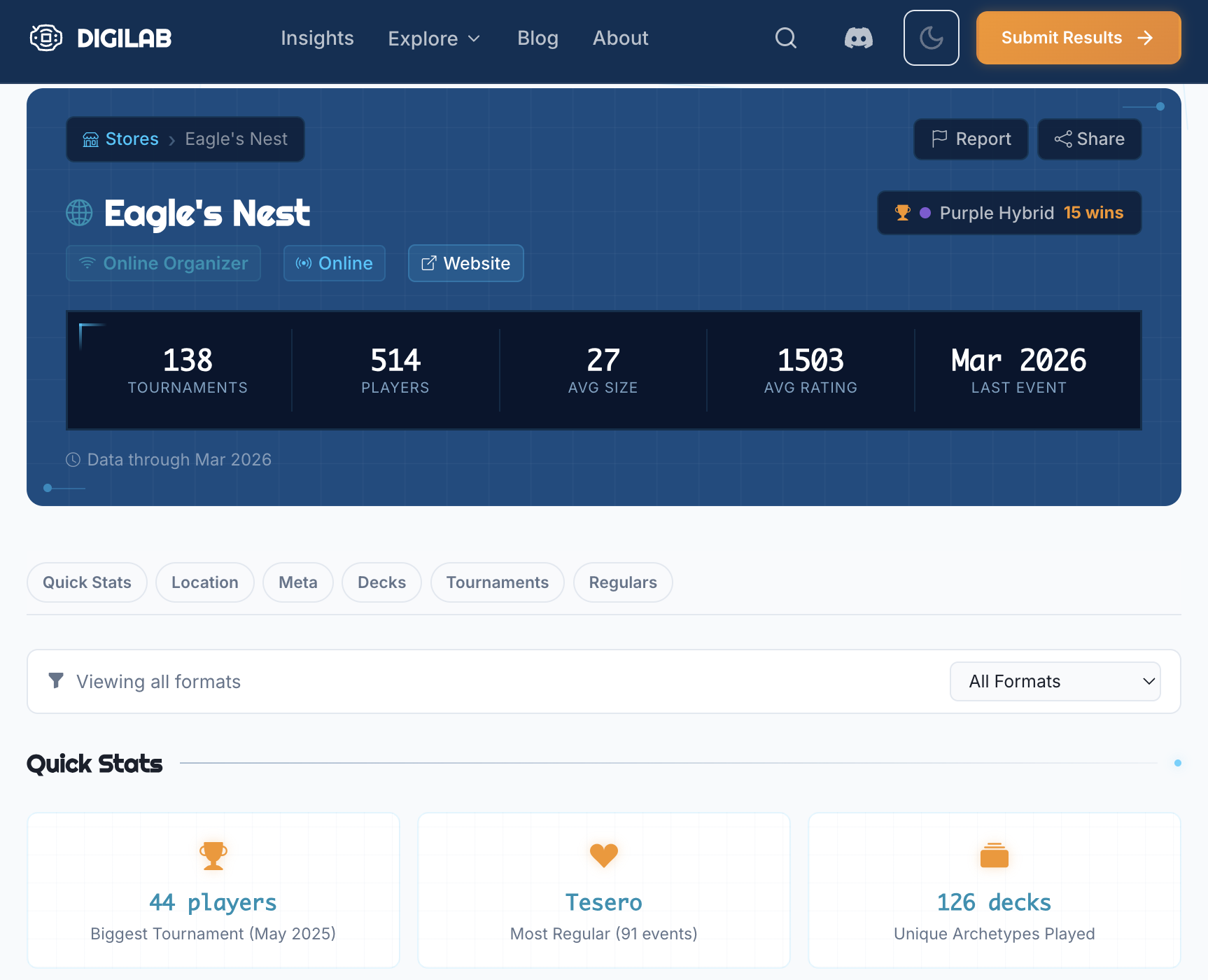
Every store has a page with its tournament history, regular players, meta breakdown, and schedule. If you’re traveling and want to find locals, this is where you look.
Deck Pages
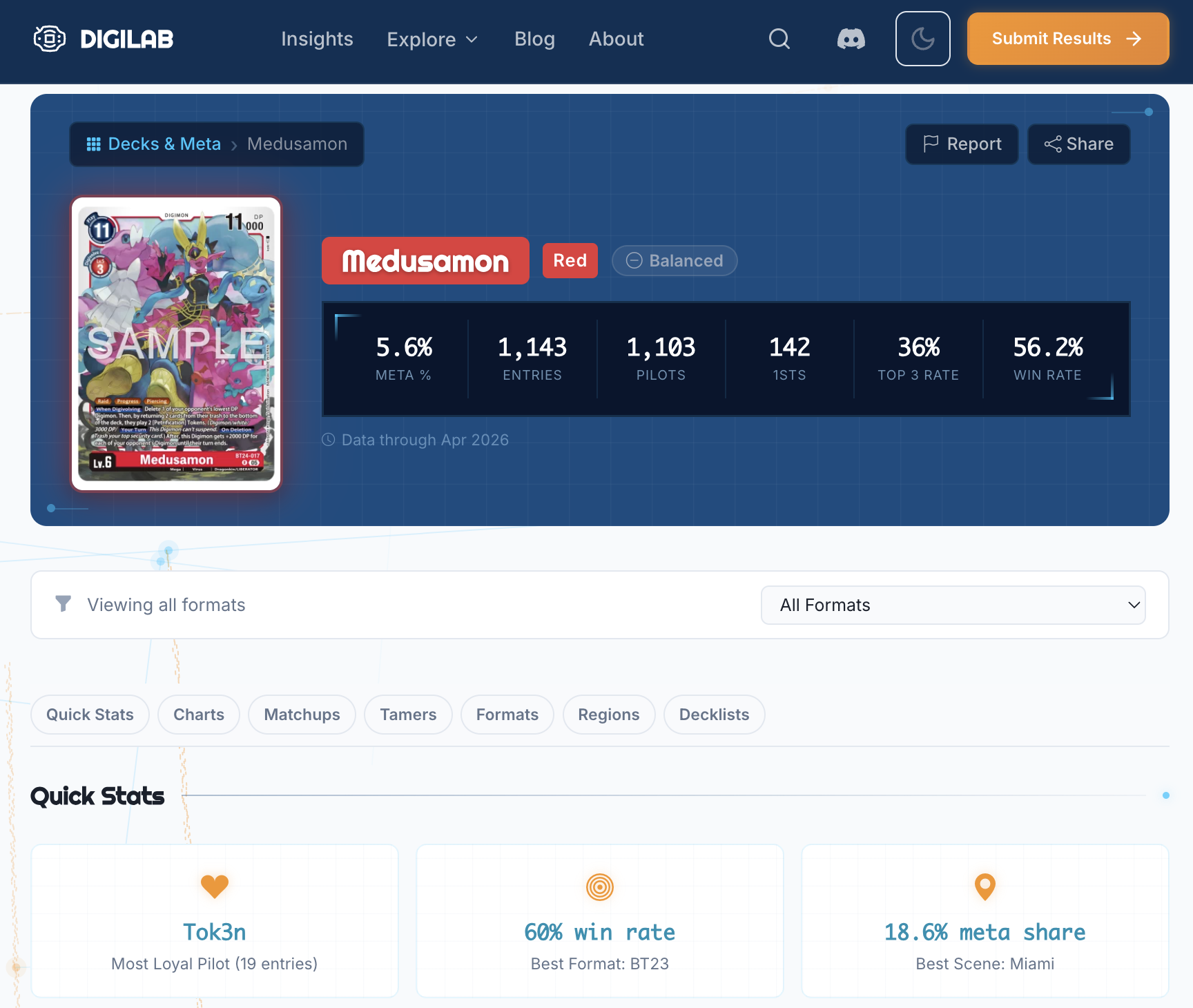
Every archetype has a page showing its win rate, play rate, top pilots, best and worst matchups, and performance over time. Want to know how your deck is doing at locals across your scene? This is it.
Tournament Pages
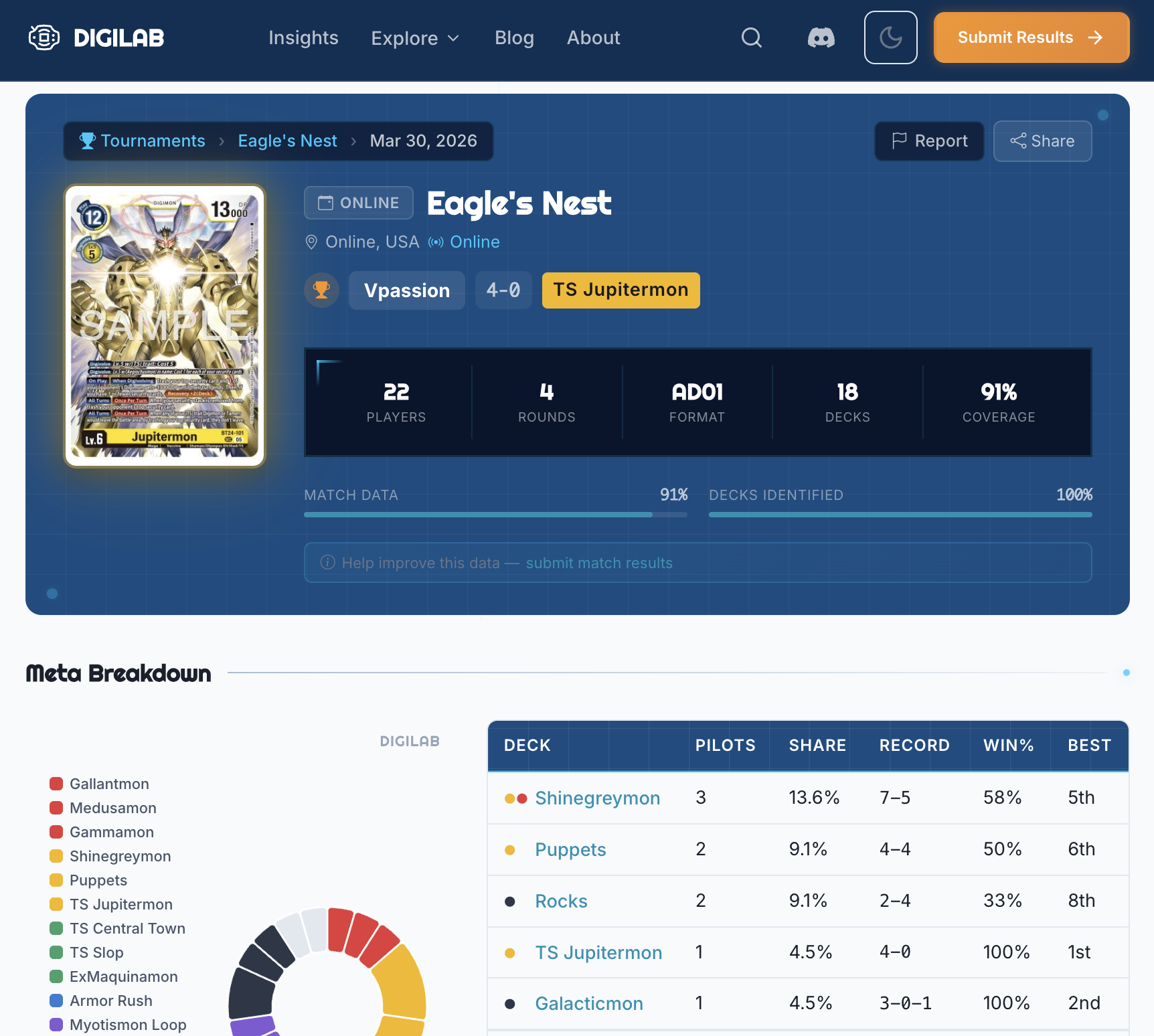
Every tournament has a full breakdown. Standings, top cut bracket, meta distribution, and round-by-round results. No more digging through the app to find what happened at last week’s locals.
Insights Dashboard
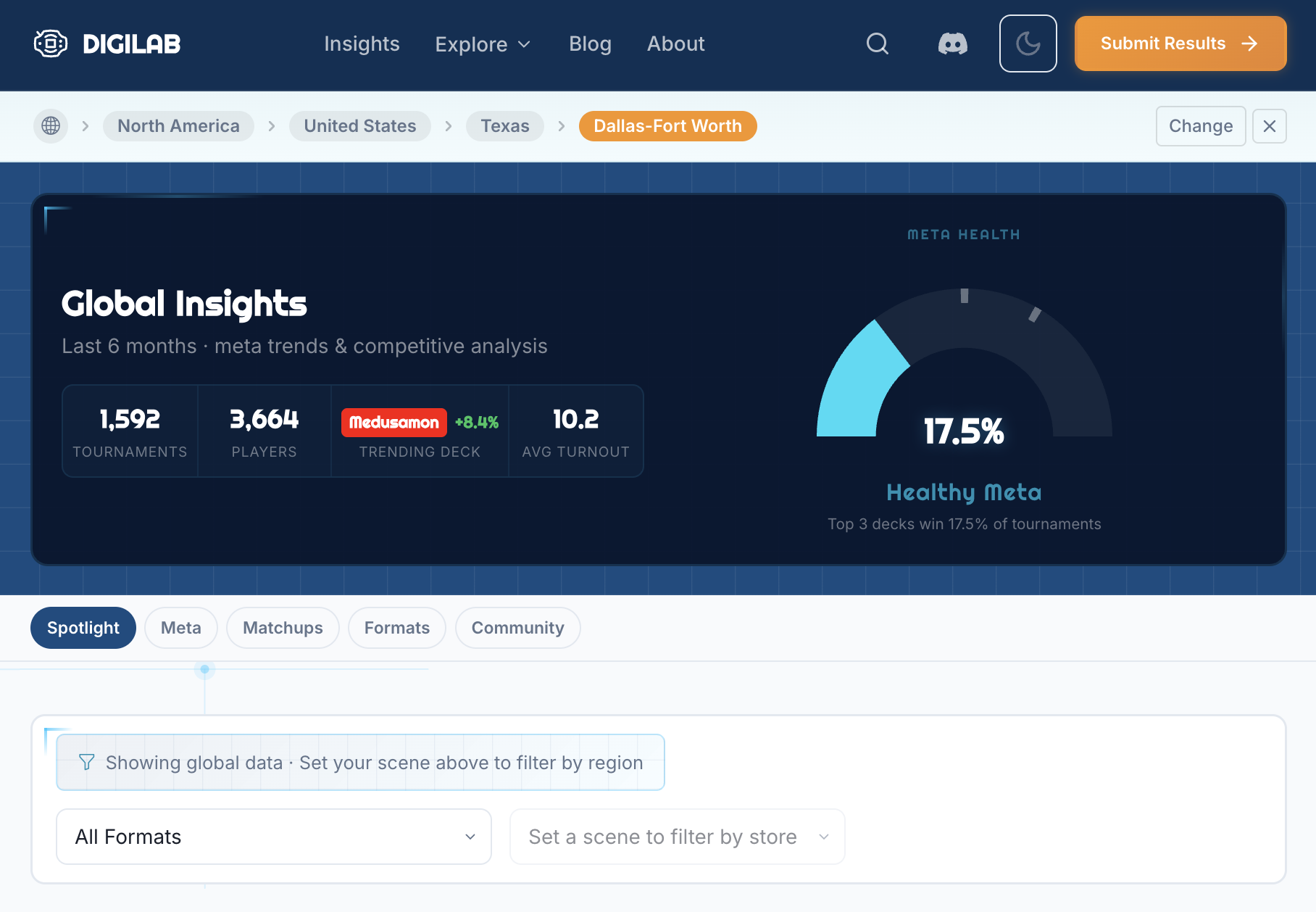
The new Insights page is a meta analysis dashboard for your scene. Format health scores, trending decks, rising stars, top deck matchups, all filterable by scene and region. This is the data that used to require running your own analysis. Now it updates automatically.
Listing Pages
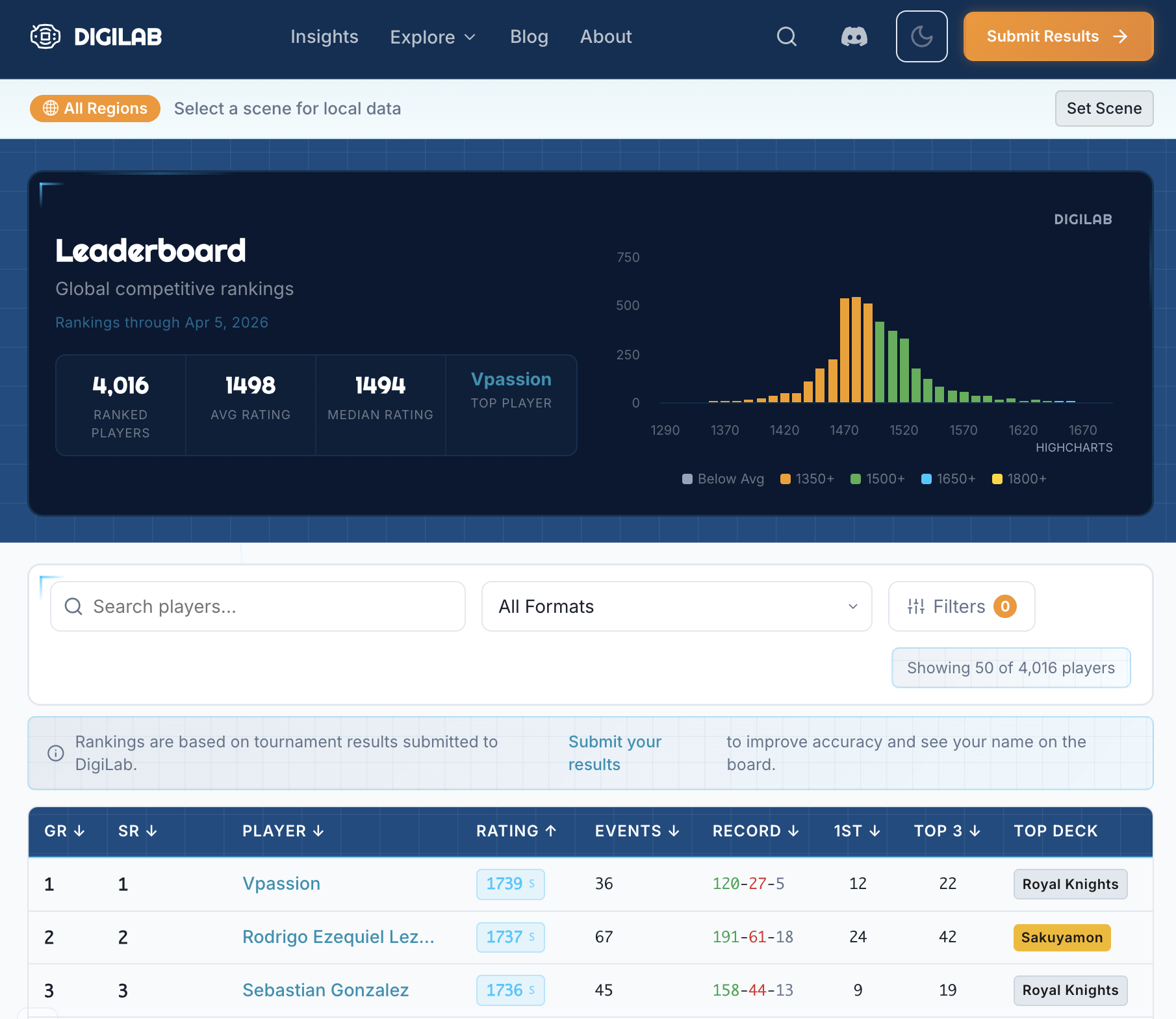
Browse the full leaderboard, explore stores on an interactive map, and filter everything by geography. The world map lets you zoom into any region and see what’s happening in local scenes around the globe.
The Numbers
Six weeks ago DigiLab launched with 25 scenes across 9 countries. Today: 150 scenes, 4,000+ players, 2,100+ tournaments, 350+ stores, and 26 countries.
Orange dots are the 24 scenes from launch week. Blue dots are the 77 new scenes that have joined since.
What’s Happening with the App
Everything you browse on the app (player profiles, store pages, leaderboards, meta data) is now on the main site at digilab.cards. The website is faster, works better on mobile, and every page is shareable with rich link previews.
Data submission now lives at digilab.cards/submit. Upload tournament results, submit match-by-match data, and add decklist URLs — all without leaving the main site. The new submit page supports screenshots, PDFs, and CSV uploads.
What You Should Be Uploading
The more data the community submits, the better DigiLab gets for everyone. Here’s what helps most:
- Tournament results - Screenshots from Bandai TCG+, PDFs, or CSV files
- Match-by-match data - Individual round results (wins, losses, draws) so we can calculate accurate matchup data
- Decklist URLs - Link your deck from your tournament result so it shows up on your profile and feeds into meta analysis
All of this happens through the Submit page.
What’s Next
- Discord integration for reporting issues and requesting new scenes/stores
- More listing pages: tournaments, full meta breakdown
- Continued onboarding of new scenes worldwide
DigiLab is built by the community, for the community. Everything on this platform exists because players and organizers took the time to upload their results and grow their scenes.
If your scene isn’t on DigiLab yet, join the Discord and we’ll get you set up. If you’re already here, thanks for being part of this. Share your profile, rep your store, and keep uploading.